
Sale!
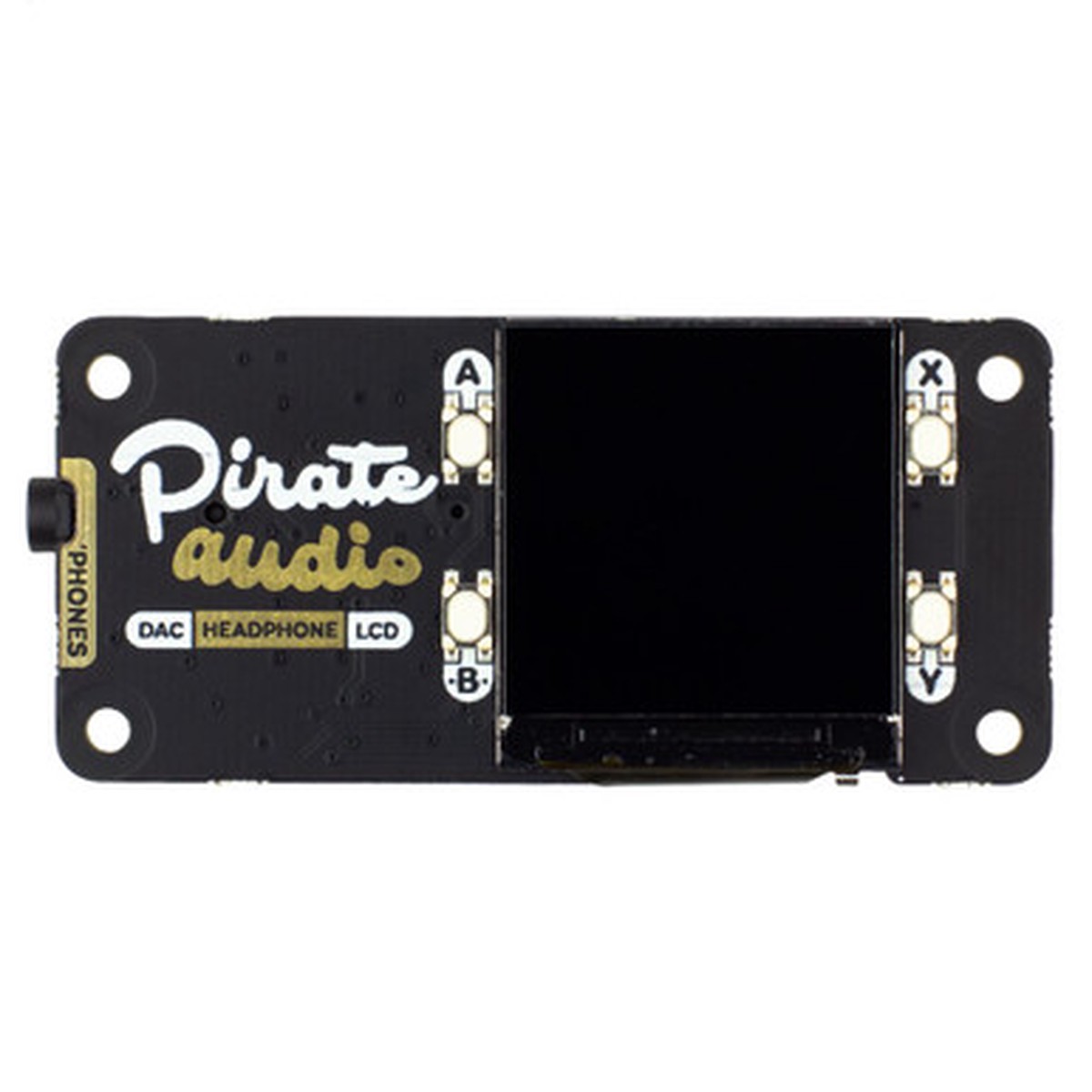
Pirate Audio: Headphone Amp for Raspberry Pi
Original price was: $25.95.$20.76Current price is: $20.76.
Description
Description Show Reviews The ultimate hackable headphone amp for your desk! Pirate Audio Headphone Amp for Raspberry Pi hasanI2S DAC, headphone amplifier,high-res display, andplayback control buttons. Build your ownhome-brew iPod Nano with Pirate Audio Headphone Amp!It’s an all-in-one solution, with gorgeous album art display, track info, and playback controls, for playing yourlocal audio files (MP3, FLAC, etc) or streaming music from Spotify. The DAC and headphone ampgive you crisp digital amplified audio through your wired headphones. Pirate Audio is a range of all-in-oneaudio boards for Raspberry Pi, with high-quality digital audio, beautifully-crisp IPS displays for album art, tactile buttons for playback control, and our custom Pirate Audio softwareand installer to make setting it all upa breeze. Features Amplified digital audio (24-bit / 192KHz)over I2S PAM8908 headphone amplifier chip ( datasheet ) Low-gain / high-gain switch (high-gain boosts by 12dB) PCM5100A DAC chip ( datasheet ) 3.5mm stereo jack 1.3″ IPS colour LCD (240x240px) (ST7789 driver) Four tactile buttons Mini HAT-format board Fully-assembled Compatible with all 40-pin header Raspberry Pi models Pirate Audio software Dimensions: 65×30.5×9.5mm Software Our Pirate Audio software and installer installs the Python libraryfor the LCD, configures the I2S audio and SPI, and then installs Mopidy and our custom Pirate Audio plugins to display album art and track info, and to use the buttons for playback control. Here’s how to get started: Set an SD card up with the latest version of Raspbian. Connect to Wi-Fi or a wired network. Open a terminal and type the following: git clone https://github.com/pimoroni/pirate-audio cd pirate-audio/mopidy sudo ./install.sh Reboot your Pi You can find more detailed instructions here: https://github.com/pimoroni/pirate-audio/tree/master/mopidy or get tonnes moreinfoin our Getting Started with Pirate Audio tutorial. Notes Note that the installer, linked above, does all of the below for you, but if you’re an intrepid hacker then you might need to know this stuff! The low-gain mode is recommended for most use-cases. The DAC can be configured by adding dtoverlay=hifiberry-dac to the /boot/config.txt file. There is a DACenable pinBCM 25 that must be driven high to enable the DAC. You can do this by adding gpio=25=op,dh to the /boot/config.txt file. The buttons are active low, and connected to pinsBCM 5, 6, 16, and 20 The display uses SPI, and you’ll need to enable SPI through the Raspberry Pi configuration menu. If you want to use these boards with a Pibow Coup case (either for the Zero / Zero W or Pi4), then you’ll need to use a booster header to raise it up a little. 0 Reviews Hide Reviews Show Reviews
You May Also Like

Original price was: $98.45.$49.23Current price is: $49.23.

Original price was: $68.95.$34.48Current price is: $34.48.

Original price was: $42.95.$34.36Current price is: $34.36.
Original price was: $26.95.$21.56Current price is: $21.56.

Original price was: $33.75.$27.00Current price is: $27.00.
Reviews
There are no reviews yet.