
Sale!
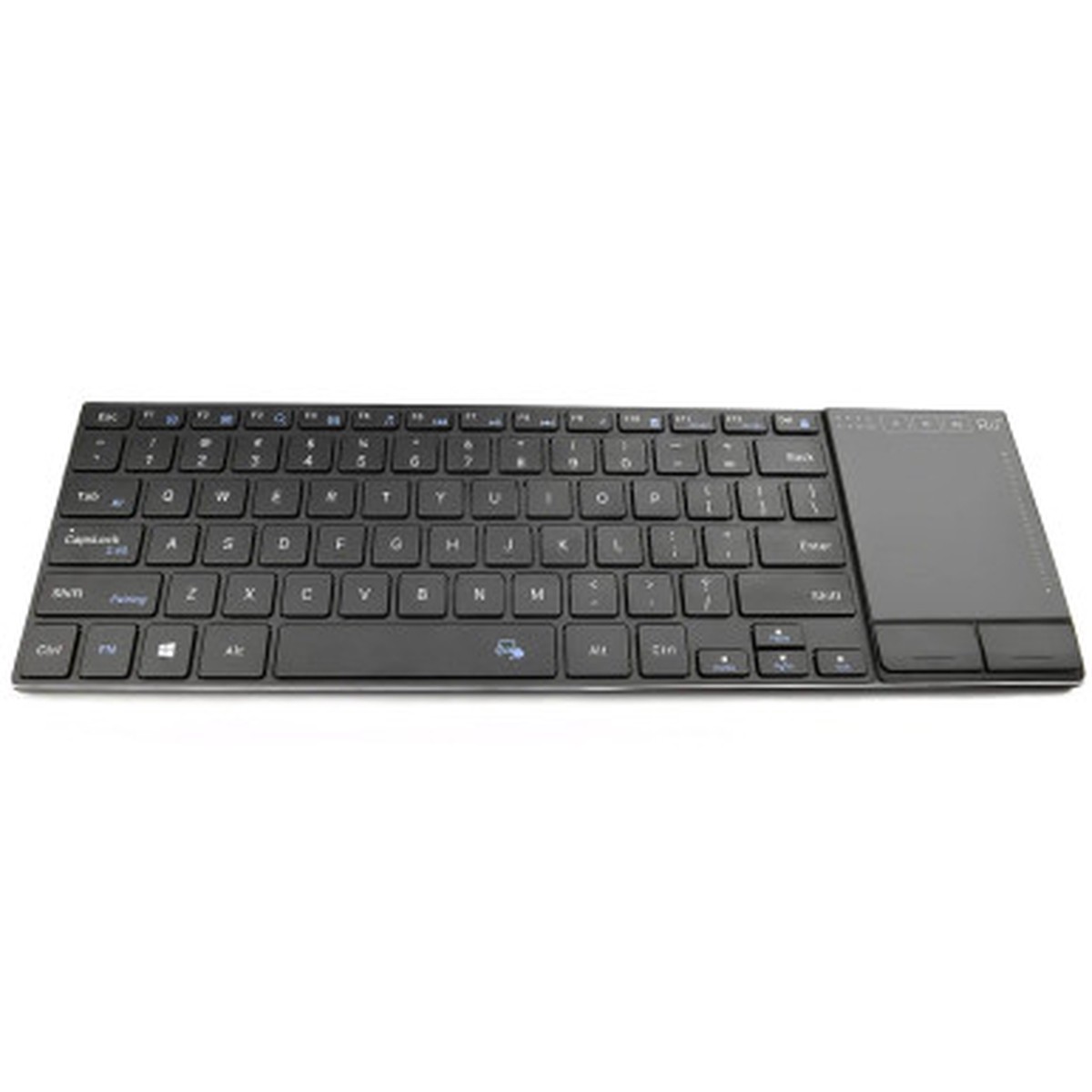
Hot Sale Rii K22 Wireless Bluetooth/2.4G Slim Keyboard w/ Touchpad
Original price was: $20.95.$16.76Current price is: $16.76.
Description
Description Show Reviews Rechargeable Built-in Lithium battery with USB Type-C Charging Port Input voltage: 5V Working voltage: 3.7V Charging curent: < 300mA Working current: < 10mA Sleeping Curent: < 30A Product weight: 385g Auto Sleep And Wake Up Feature The keyboard has an auto sleep and wake up feature. The default setting is 10 minutes. In the event of no operation in 10 minutes,the keyboard will automatically enter the sleep mode and allindicators will be OFF. You can press any key to wake up the keyboard. Dual Mode 2.4G Wireless and Bluetooth Keyboarad Dual Mode 2.4G and Bluetooth Keyboard Bluetooth Mode: Turn on your device and the keyboard. Press Fn+ Tab, switch the keyoard to Bluetooth mode. 4G Wireless Mode: Insert the USB receiver into the USB port of the device, and the driver will be installed automatically. Press Fn+ Capslock ,switch to 2.4G mode,the 2.4G indicator will be normally ON .then you can use the keyboard. 2.4G Wireless USB receiver is inside of the Back cover How to match the keyboard with USB receiver: This keyboard can only be connected to your device by the accompanying 2.4G USB receiver. If the 2.4G indicator is off instead of being normally ON, take following steps to repair. Step 1: Keep your device ON, and make sure the keyboard is fully charged. Step 2: Press Fn+ CapsLock , switch keyboard to 2.4G mode. Step 3: Press Fn+ Shift.enter 2.4G pairing mode , the 2.4G indicator flickers slowly 0 Reviews Hide Reviews Show Reviews
You May Also Like
Original price was: $19.95.$15.96Current price is: $15.96.
Original price was: $11.95.$9.56Current price is: $9.56.

Original price was: $14.95.$11.96Current price is: $11.96.
Original price was: $24.95.$19.96Current price is: $19.96.
Original price was: $8.00.$6.40Current price is: $6.40.
Original price was: $20.95.$16.76Current price is: $16.76.
Reviews
There are no reviews yet.