
Sale!
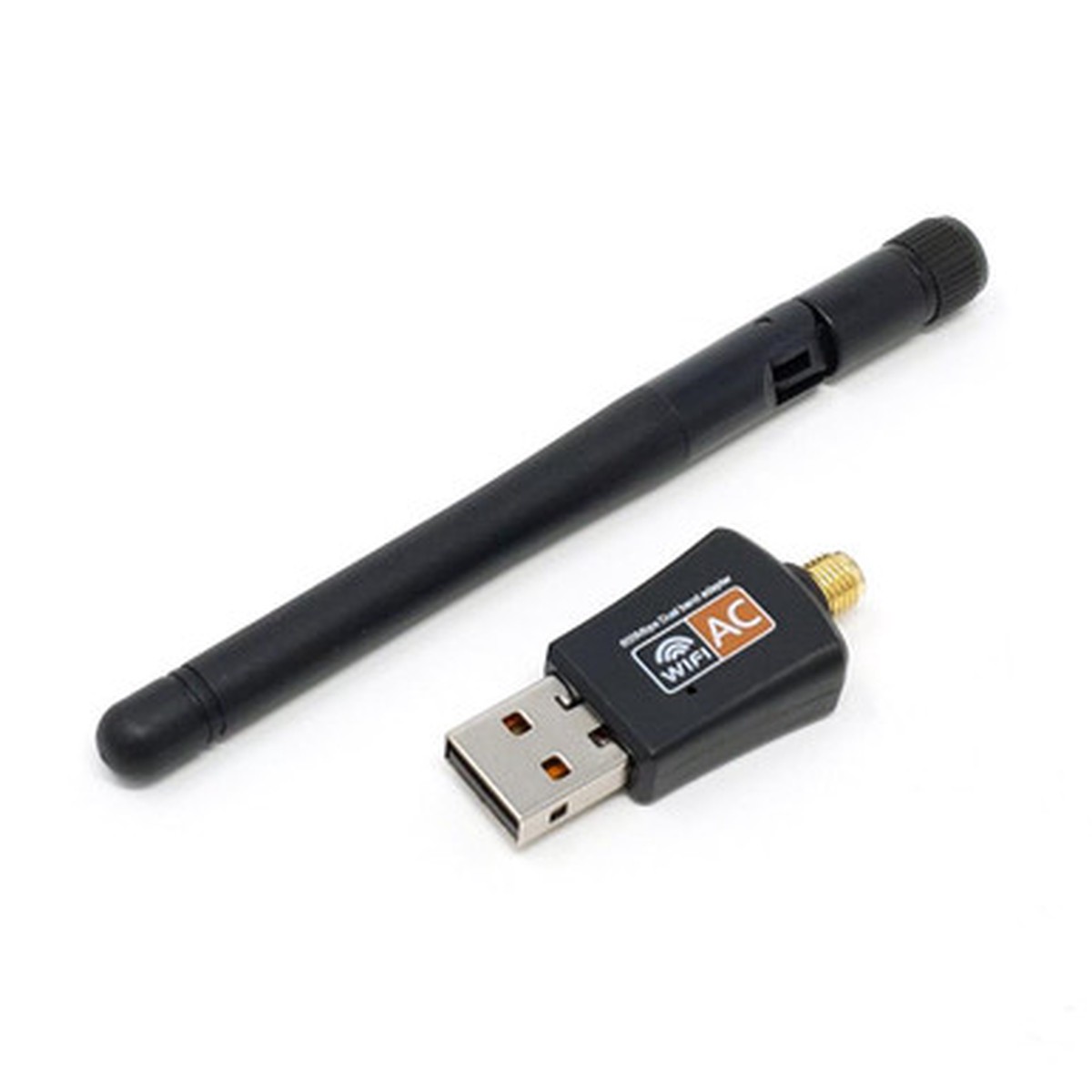
Raspberry Pi Dual-Band 5GHz/2.4GHZ USB WiFi Adapter with Antenna
Original price was: $14.95.$11.96Current price is: $11.96.
Description
Description Show Reviews Raspberry Pi Dual-Band 5GHz / 2.4GHz USB Wi-Fi Adapter with Antenna If the on-board Wi-Fi on your Raspberry Pi isn’t giving you enough range, this dual-band 2.4GHz/5GHz USB 2.0 Wi-Fi adapter is a solid upgrade. The antenna supports both 2.4GHz and 5GHz networks, along with the 802.11ac standard (up to 3 faster than 802.11n). Features Up to 150 Mbps at 2.4GHz and 433 Mbps at 5GHz External high-gain, adjustable, detachable antenna for wide coverage Backward compatible with 802.11a/b/g/n LED status light Tech Specs Chipset: Realtek RTL8811CU Interface: USB 2.0 Wireless transmit power: 20 dBm Network speed: up to 600 Mbps (max) Network mode: Dual-band Operating systems: Windows Vista/XP/2000/7/8/10, Linux, macOS USB adapter size: 4.5 2 1.2 cm RP-SMA antenna length: 10.8 cm Net weight: 12 g Package Includes 1 Dual-band 2.4G/5G USB Wi-Fi adapter 1 Antenna 1 Driver CD Note: Raspberry Pi not included. Installation for old kernels This installation step is NOT for the current 6.12 kernels.If you are using an up to date Raspberry Pi OS Bookworm or Trixie image (dated December 2025 or newer), PLEASE SKIP. Driver install takes about 5 minutes. See the installation guide .Consider updating the driver source periodically. Raspberry Pi OS 32-bit Bookworm tested ( Add arm_64bit=0 to config.txt ) Raspberry Pi OS 64-bit Bookworm tested Tested and approved with Raspberry Pi 3B+ , Pi 4 / Pi 400 , and Pi 5 by the PiShop Team! Resources Raspberry Pi documentation The Linux kernel Raspberry Pi forum After apt upgrade my 32-bit OS runs on a 64-bit kernel and now I can’t compile an external module. Raspberry Pi forum Kernel source for 5.15.61-v8+ GitHub issue raspberrypi-kernel-headers 32-bit lacks ARMv8 support 2 Reviews Hide Reviews Show Reviews 5 works find on Pi4B with bookworm Posted by Elwood Downey on Sep 2nd 2024 Sep 2nd 2024 Was not getting enough range with built-in wifi so tried this. It adds at least 5 db to signal so it helps. Installed driver per instructions with no issues. Also turned off built-in wifi by editing /boot/firmware/config.txt to add a new line “dtoverlay=disable-wifi” at the end of the file. After one final reboot the new dongle was on wlan0 and everything worked as before.
You May Also Like

Original price was: $13.95.$11.16Current price is: $11.16.

Original price was: $8.95.$7.16Current price is: $7.16.

Original price was: $9.95.$7.96Current price is: $7.96.

Original price was: $4.40.$3.52Current price is: $3.52.
Original price was: $11.95.$9.56Current price is: $9.56.
Reviews
There are no reviews yet.